
If you require BizUpUSA’s signature as your Registered Agent on a form, follow the steps below to ensure the process is handled quickly and efficiently.
Steps to Request a Registered Agent Signature
-
Prepare the Form
-
Complete all required sections of the form, leaving the Registered Agent signature field blank.
-
Ensure the form is accurate and ready for submission.
-
-
Log into Your BizUpUSA Account
-
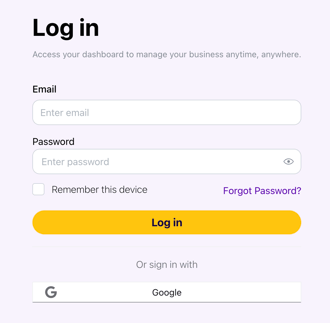
Use your registered email and password to access your dashboard.
-
-
Contact the Customer Success Team
-
Email: help@bizupusa.com
-
Chat: Use the Astra AI assistant in your dashboard.
-
Make sure you include the following information in your email/chat with Customer Success:
-
Your business name and account email.
-
The type of form requiring a signature.
-
Any deadlines or special instructions.
-
-
-
Upload the Form
-
Attach the form to your support request. Ensure the file is in a supported format (PDF, DOCX, JPG, or PNG) and under 10MB.
-
-
Wait for Confirmation
-
BizUpUSA will review your request and provide the required signature.
-
You’ll receive an email notification once the signed form is ready for download in your dashboard.
-
Common Questions
How long does it take to get the form signed?
-
Most requests are processed within 1-2 business days. If you have an urgent deadline, mention it in your support request.
Is there a fee for this service?
-
Signature requests are typically included in your Registered Agent service. Contact Customer Success if you have questions about additional fees.
What if I need help completing the form?
-
BizUpUSA can provide guidance on completing the form, but we recommend consulting a legal or tax professional for specific advice.
Still need help? Contact Customer Success at help@bizupusa.com or chat with Astra, your AI assistant, directly from your dashboard.